Mobile-first design means planning and building a website for the smallest screen first, then adding layout and detail as the screen gets bigger. Instead of squeezing a desktop design onto a phone, you start by deciding what a mobile visitor needs most, put that front and centre, and build up from there. It matters because more than half of web traffic now comes from phones, and Google judges your site mainly on its mobile version.
What follows explains how mobile-first differs from responsive design, what it looks like on a real site and how to check yours.
What is mobile-first design?
Mobile-first is a way of working. The designer starts with a screen about the width of a phone and asks a hard question: if we can only show a few things, which ones? The answer usually turns out to be the things that matter on every screen, like what you do, why someone should trust you and how to get in touch.
Say you run an emergency plumbing firm in Calgary. Your customer has water coming through the kitchen ceiling and a phone in one hand. A desktop-first site might greet them with a wide photo carousel, a long introduction and a contact form three scrolls down. A mobile-first site shows a short headline (“Emergency plumber in Calgary, 24 hours”), a large tap-to-call button and your reviews. The desktop version then adds the service area map, the team photos and the longer story.
Both versions are the same website. The difference is which one shaped the decisions.
Mobile-first vs responsive design: what’s the difference?
Responsive design is the technique; mobile-first is the order you work in. A responsive site uses flexible grids and CSS media queries so the same page rearranges itself to fit any screen. Every modern site should be responsive.
The question is where you start. A site designed desktop-first and then made responsive tends to treat mobile as a squashed version of the “real” site: menus crammed into a hamburger, images scaled down but still heavy, content stacked in an order that made sense side by side. A site designed mobile-first and then made responsive starts lean and adds to it, so the phone experience is planned on purpose and the desktop version adds extras on top.
Years ago, many businesses ran a separate mobile site on an address like m.example.com. That approach meant two sites to maintain and often a stripped-down mobile version missing half the content. One responsive site, designed mobile-first, replaced it.
Is mobile-first design still relevant?
More than ever. Two things settled it.
Your customers are on phones. Across the web, phones account for more than half of all visits, and for local services, retail and hospitality the share is usually higher. People search on the bus, compare options in a line and book from the couch.
Google ranks your mobile site. Google now uses mobile-first indexing for the whole web: it crawls and ranks the mobile version of your pages. If your mobile pages hide content, load slowly or are hard to use, that’s the version Google judges, whatever your desktop site looks like.
Google reads your mobile site, and so do most of your customers. If the phone version is an afterthought, so is your business.
What does mobile-first design look like in practice?
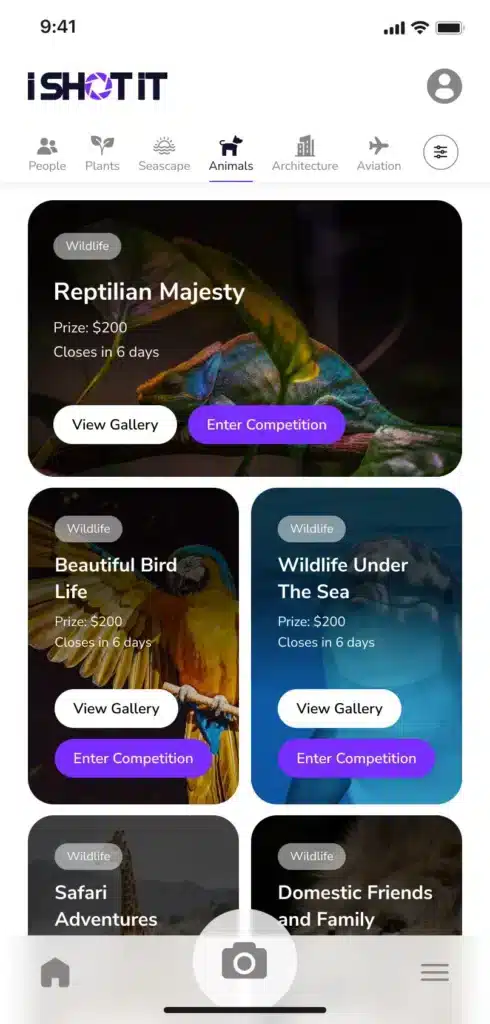
Here are the patterns we’d expect to see on a well-built mobile-first site:
- Tap-to-call and tap-to-map. Phone numbers and addresses are links, so one tap starts a call or opens directions.
- A visible next step. A “Book now” or “Get a quote” button that stays in reach as people scroll.
- Tap targets big enough for thumbs. WCAG 2.2 sets a minimum of 24 by 24 CSS pixels for targets at level AA, and Apple’s guidelines suggest 44 by 44 points. We aim for the larger figure. Our post on tap targets covers this in detail.
- Forms that bring up the right keyboard. A phone field opens the number pad and an email field shows the @ key. Ask only for what you need.
- Short, scannable content. Clear headings and short paragraphs, with the answer before the detail.
- Images sized for the screen. The browser downloads a smaller image on a phone instead of a full desktop-width photo.
- Text you can read without zooming. Body text around 16 pixels, with enough contrast to read outdoors.
How do I make my website mobile friendly?
Start by using it. Open your site on your own phone, on mobile data rather than Wi-Fi, and try to do the one thing you most want customers to do. Then work through this checklist:
- Check the viewport. If you have to pinch and zoom to read anything, the page isn’t set up for mobile at all.
- Run Google’s PageSpeed Insights. It reports your Core Web Vitals. Google’s “good” thresholds are a Largest Contentful Paint of 2.5 seconds or less, an Interaction to Next Paint of 200 milliseconds or less and a Cumulative Layout Shift of 0.1 or less.
- Look at Search Console. The Core Web Vitals report shows how real visitors on phones experience your pages, grouped by issue.
- Fix the heaviest pages first. Oversized images, autoplay video and too many third-party scripts are the usual culprits. Our guide to why your site is slow explains the common fixes.
- Test your forms on a phone. Fill them in with your thumb. If it’s annoying for you, it’s worse for a customer in a hurry.
- Check menus and pop-ups. Large pop-ups that cover the content on mobile frustrate visitors, and Google has long discouraged intrusive ones.
Google retired its standalone Mobile-Friendly Test in 2023, so PageSpeed Insights, Lighthouse in Chrome and Search Console are the tools to use now.
Building for how people actually use their phones
Mobile-first thinking goes beyond screen size. A phone visitor is often busy, distracted or in the middle of something else, and more people now ask their phone a question out loud instead of typing it. Spoken questions tend to be longer and phrased naturally: “who can fix a leaking water heater near me today?”
You don’t need a special “voice” version of your site to answer them. You need pages that answer real questions in plain language, near the top, with clear headings. That same structure helps AI assistants and Google’s AI Overviews pick out your answer. An AI chatbot can help too, where visitors regularly have questions your pages can’t answer quickly.
How we approach mobile-first design
Every site we build starts with a discovery workshop, then wireframes for mobile and desktop side by side, so the phone layout is decided before anything is styled. Our in-house team builds in WordPress or Django and tests on real devices before launch, and our care plans keep sites fast and up to date afterwards. You can read more about our web design services.
FAQs
What is mobile-first design?
Mobile-first design is an approach where a website is planned and built for phone screens first, then expanded for tablets and desktops. It forces decisions about what matters most to visitors, so the mobile experience is planned on purpose. It’s now the standard way to design websites.
What is the difference between responsive and mobile-first design?
Responsive design is the technique that lets one website adapt its layout to any screen size. Mobile-first is the order of work: designing the phone version first and adding to it for larger screens. Most good modern websites are both, responsive in how they’re built and mobile-first in how they’re planned.
Does Google use the mobile version of my website for ranking?
Yes. Google uses mobile-first indexing, which means it crawls and ranks the mobile version of your pages. If content, links or structured data are missing or hard to use on mobile, your rankings can suffer even if the desktop site is excellent.
How can I check if my website is mobile friendly?
Use your site on your own phone over mobile data and try to complete a key task, such as booking or making an inquiry. Then run the page through Google’s PageSpeed Insights and check the Core Web Vitals report in Search Console, which show how real mobile visitors experience your pages.